
What Is DASH Streaming? MPD File Explained for Non-Developers
You try to download a video and instead of an MP4, you get a 12KB .mpd file. You open it in a text editor — it's a wall of XML, hundreds of <SegmentURL> tags pointing to files that aren't on your disk.
That's MPEG-DASH. Here's what it is, why platforms use it, and how to actually get the video out.
What Problem DASH Solves
Rewind to 2008. YouTube was delivering fixed-bitrate FLV files. When your connection was slow and someone uploaded a 720p video, you just watched the spinner. Your only option was to manually switch to 360p.
This was embarrassing for platforms. The solution the industry landed on: instead of delivering a fixed file, deliver a manifest describing all available quality levels and let the player decide which to request based on real-time bandwidth measurements.
Apple's HLS and the ISO-standard DASH (2012) both solved this. DASH — Dynamic Adaptive Streaming over HTTP — became the international standard: YouTube, Vimeo, Dailymotion, and most enterprise video platforms use it.
Which Major Platforms Use DASH
Knowing which platforms use DASH helps you anticipate what you'll run into when downloading:
| Platform | Streaming Protocol | Notes |
|---|---|---|
| YouTube | DASH | Primarily DASH, some content also uses HLS |
| Bilibili | DASH (regular content) + HLS (livestreams) | Audio/video separated, requires merging |
| Vimeo | DASH | Enterprise content also uses DASH |
| Twitch | HLS | Livestreams use HLS, VODs sometimes use DASH |
| Coursera / edX | DASH | Course videos commonly use it |
| Tencent Video / Youku / iQiyi | DASH + DRM | High-value content layered with Widevine |
YouTube is an interesting case — it started deploying DASH in 2011, was one of the earliest large-scale adopters, and now serves billions of streaming requests daily entirely on this mechanism. Bilibili is also a heavy DASH user — regular videos use DASH, livestreams use HLS. How to Download Bilibili Videos to Your Computer walks through the full Bilibili download workflow and is a great real-world case for understanding DASH.
The MPD File: Not a Video, a Recipe
Every DASH stream starts with an MPD file — Media Presentation Description. It's an XML document describing the entire stream: duration, available quality levels, codec information, and the paths to find every video and audio segment.
A real, simplified MPD:
<?xml version="1.0" encoding="UTF-8"?>
<MPD type="static" mediaPresentationDuration="PT1H23M47S">
  <Period>
    <AdaptationSet contentType="video" mimeType="video/mp4">
      <Representation id="v1080" bandwidth="4500000" width="1920" height="1080">
        <SegmentTemplate
          initialization="video/1080p/init.mp4"
          media="video/1080p/seg-$Number$.m4s"
          startNumber="1" />
      </Representation>
      <Representation id="v720" bandwidth="2000000" width="1280" height="720">
        <SegmentTemplate
          initialization="video/720p/init.mp4"
          media="video/720p/seg-$Number$.m4s"
          startNumber="1" />
      </Representation>
    </AdaptationSet>
    <AdaptationSet contentType="audio" mimeType="audio/mp4">
      <Representation id="a128" bandwidth="128000">
        <SegmentTemplate
          initialization="audio/init.mp4"
          media="audio/seg-$Number$.m4s"
          startNumber="1" />
      </Representation>
    </AdaptationSet>
  </Period>
</MPD>
Structure breakdown:
<AdaptationSet>: a group of equivalent tracks — all video options, or all audio options<Representation>: one specific quality/codec combination within that group<SegmentTemplate>: the URL template for segment files
The template video/1080p/seg-$Number$.m4s expands to seg-1.m4s, seg-2.m4s… potentially thousands of files.
Audio/Video Separation: DASH's Core Design
The thing that frustrates downloaders most about DASH is that audio and video are two independent streams. This isn't malice — it's by design:
Imagine you want to offer a video with 5 language audio tracks. If audio and video were bundled together, you'd need to store 5 complete copies of the video file — 5x the server storage cost. DASH's approach: one video track, 5 audio tracks. The player combines them based on the language setting. Storage costs drop dramatically.
For downloaders, this means:
- You must download both the video track and the audio track
- After downloading, you must merge them into one file
- Download only video — no sound. Download only audio — no picture
FlowPick automatically detects all AdaptationSet entries in the MPD and downloads and merges them for you. The merge step sounds simple, but running FFmpeg WASM in a browser has its share of pitfalls — for a detailed breakdown, see How FlowPick Merges Video Segments into MP4 in the Browser.
DASH vs. HLS: What's the Difference?
If you've read How to Download M3U8/HLS Streams, you know HLS uses .m3u8 files and .ts segments. DASH uses .mpd files and .m4s segments. Same goal — adaptive streaming — but the details differ significantly.
| DASH | HLS | |
|---|---|---|
| Origin | ISO/IEC 23009, 2012 | Apple, 2009 |
| Manifest format | XML (.mpd) | Plain text (.m3u8) |
| Segment format | fMP4 (.m4s) or MP4 | MPEG-TS (.ts) |
| Audio handling | Independent track | Merged with video |
| Encryption | CENC (Widevine/PlayReady) | AES-128 (key obtainable) |
| Who uses it | YouTube, Vimeo, enterprise platforms | Twitch, Apple platforms |
The key practical difference: DASH separates audio and video. The video file has no audio; the audio file has no video. You need to download both and merge them.
Another important difference is encryption: with HLS's common AES-128 encryption, the key can be obtained through a normal HTTP request (while logged in). DASH's CENC encryption goes through the Widevine/PlayReady authorization system, where keys are bound to the device and inaccessible to browser extensions.
Why DASH Videos Are Normally Impossible to Download
Putting it all together, here's why nothing seems to work:
1. There is no video file. The MPD is a blueprint. The actual content is scattered across hundreds of .m4s segments on a CDN.
2. Audio and video are independent tracks. Even if you could download all the video segments, the file has no sound. The audio segments are an entirely separate download path.
3. Segment URLs usually contain signature tokens. A typical segment URL looks like: https://cdn.example.com/video/seg-42.m4s?token=eyJhbGc...&expires=1735689600. This token is time-limited and bound to your session.
4. The init segment matters. Both video and audio tracks start with an "initialization segment" (init.mp4) containing codec parameters. Without it, players can't parse subsequent segments.
5. Content protection (CENC). High-value content layers Widevine or PlayReady DRM on top of DASH. Every segment is encrypted, and keys are delivered through a separate authorization server.
How FlowPick Downloads DASH Streams
FlowPick intercepts MPD requests inside the browser tab. When you're logged into a platform, your session cookies travel with the request — FlowPick sees the same manifest your player sees.
The download pipeline:
- Parse the MPD XML — extract all
AdaptationSetandRepresentationentries - Show quality options — display available video resolutions and audio tracks
- Parallel download — video and audio segments download simultaneously, thread count set in settings (default 2, adjustable)
- Fetch init segments first — these files are small but essential for merging
- Assemble in memory — concatenate init + all segments in order
- Merge video and audio — using FFmpeg compiled to WebAssembly, running entirely within the browser tab
- Write to disk — via Chrome/Edge's File System Access API, or direct blob download on Firefox
The entire pipeline runs client-side. Nothing is uploaded. Segments never pass through a third-party server.
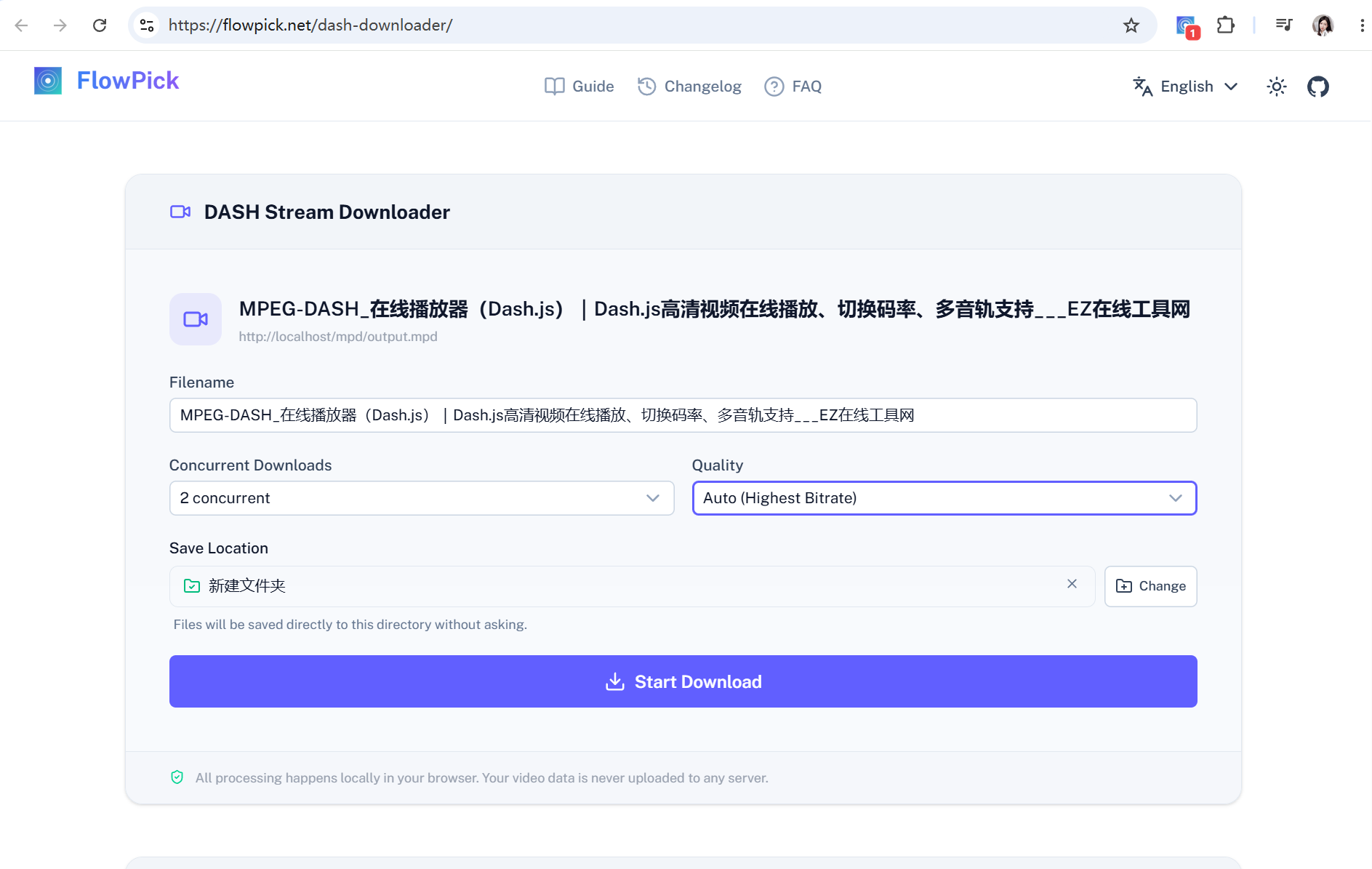
If you have a standalone MPD URL, you can also paste it directly into the DASH Online Downloader — no installation needed.
Online Tool vs. Extension: Which to Use
For DASH downloads, each approach has its scenarios:
| Scenario | Recommended |
|---|---|
| Have a standalone MPD URL, public stream | Online tool, no installation |
| Content requires login | Browser extension, carries session cookies |
| Platform uses POST to fetch the manifest | Browser extension, intercepts at network layer |
| Platform obfuscates the MPD URL | Browser extension, auto-detection |
| Segment URLs have time-limited tokens | Browser extension, real-time access |
Online tools are limited by browser cross-origin (CORS) policies — if the video hosting server hasn't configured CORS headers, direct downloads from the online tool will fail. The extension is more reliable in these cases.
Identifying DASH in the Wild
Want to know if a site uses DASH? Open DevTools before the video loads:
- F12 → Network tab
- Filter for
.mpdormanifest - Play the video
- Look for a request with
Content-Type: application/dash+xml
Found it — that's the entry point. That request's URL is what you'd paste into the online tool, and what FlowPick automatically intercepts.
Some platforms obfuscate the URL or use POST instead of GET to fetch the manifest. The online tool won't work in these cases, but the browser extension will — it captures at the network interception layer regardless of the method.
Livestreams: A Completely Different Beast
Static DASH streams (movies, recorded courses) have type="static" and a known mediaPresentationDuration. Livestreams use type="dynamic":
<MPD type="dynamic"
     availabilityStartTime="2026-07-01T09:00:00Z"
     minimumUpdatePeriod="PT5S"
     timeShiftBufferDepth="PT1H">
The MPD constantly updates (every 5 seconds in this example), and only a rolling window of segments is available. Once a segment falls outside timeShiftBufferDepth, it's gone from the CDN.
For livestreams, FlowPick captures from the moment you start recording — there's no going back beyond the current buffer. For past livestream content, look for the replay/VOD URL, which is a static DASH or HLS stream that can be cleanly downloaded.
Common Issues
Downloaded the MPD file, can't open it
The MPD is not a video file — it's a manifest. You need a tool to parse it and download all segments in order, then merge them. Opening an MPD directly in a video player usually doesn't work (VLC is an exception — it supports direct DASH URL playback).
Audio and video are separate after downloading
You only downloaded one of the two tracks — either video or audio. Check whether FlowPick downloaded both AdaptationSet entries — look in the popup for a separate audio entry that should be selected. If both tracks were downloaded but not merged, you may have hit FFmpeg WASM memory limits (file too large). Try a lower quality tier.
Segments downloaded successfully but merge failed
Common with very large files (>4GB). FFmpeg WASM has memory limits in a 32-bit address space. When this happens, FlowPick attempts to switch to an alternative merge strategy. Use the latest version of Chrome — FSA streaming writes handle large files most reliably.
Recommended Reading
- How to Download M3U8/HLS Streams: A Complete Beginner's Guide — DASH's sibling protocol, slightly different approach
- How FlowPick Merges Video Segments into MP4 in the Browser — how FFmpeg WASM merges audio and video tracks in the browser
- How to Download Bilibili Videos to Your Computer — Bilibili is a DASH-heavy platform, real-world case study
- How to Sniff and Download Audio from Any Website — how to download DASH's independent audio tracks separately
- FlowPick vs. Video DownloadHelper — honest comparison, not an ad