
Usage Guide
FlowPick provides two usage methods: Browser Extension and Online Tool. This document covers the complete workflow for both.
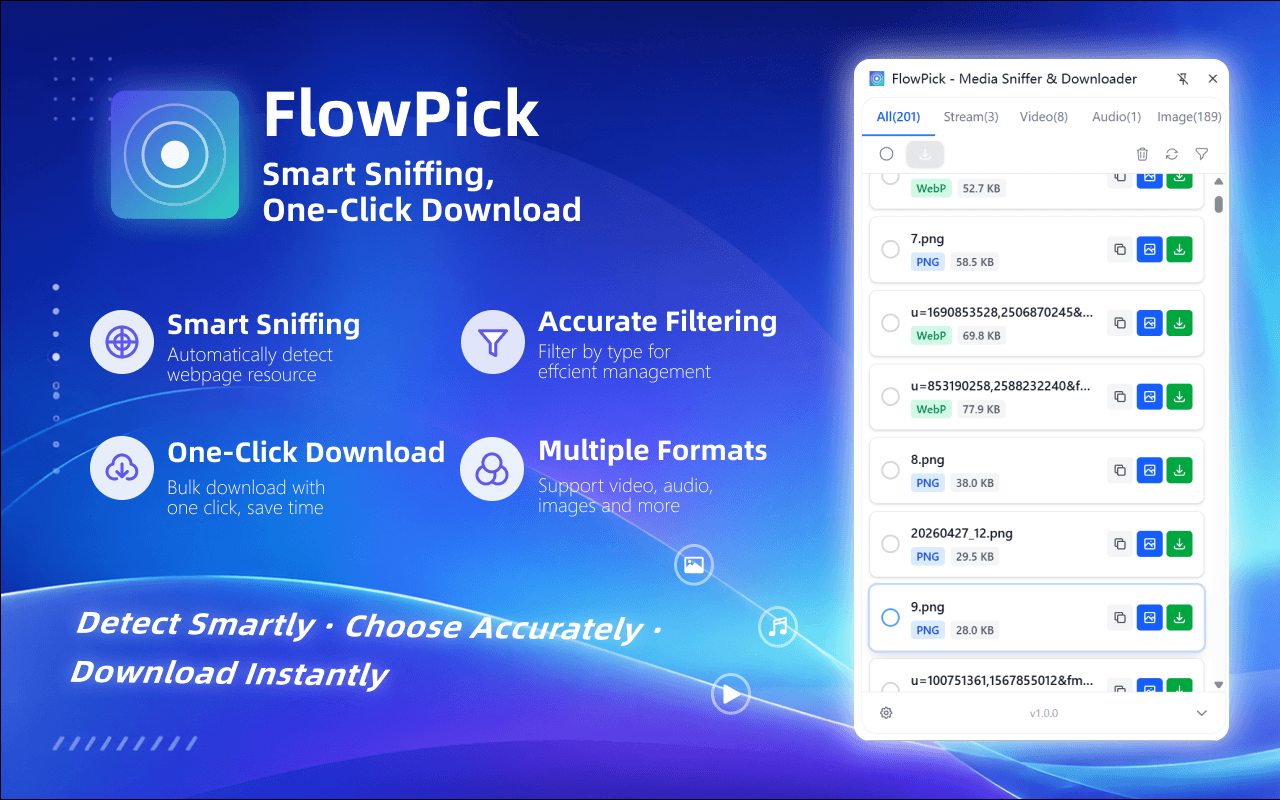
Quick Start (30 Seconds)
- Open any webpage containing video (e.g., Bilibili) and play for a few seconds
- Click the FlowPick icon in the browser toolbar
- Click the download button next to the resource you want to download in the popup
- Wait for the download to complete
Extension Usage
Detecting Media
FlowPick detects media resources on pages by monitoring browser network requests. Detection results are automatically categorized by type:
| Tab | Contents |
|---|---|
| Media Streams | Video streams (M3U8, MPD, etc.) |
| Video | MP4, MOV, FLV, WMV and other video files |
| Audio | MP3, AAC, M4A, OGG and other audio files |
| Image | JPG, PNG, WebP, SVG and other image files |
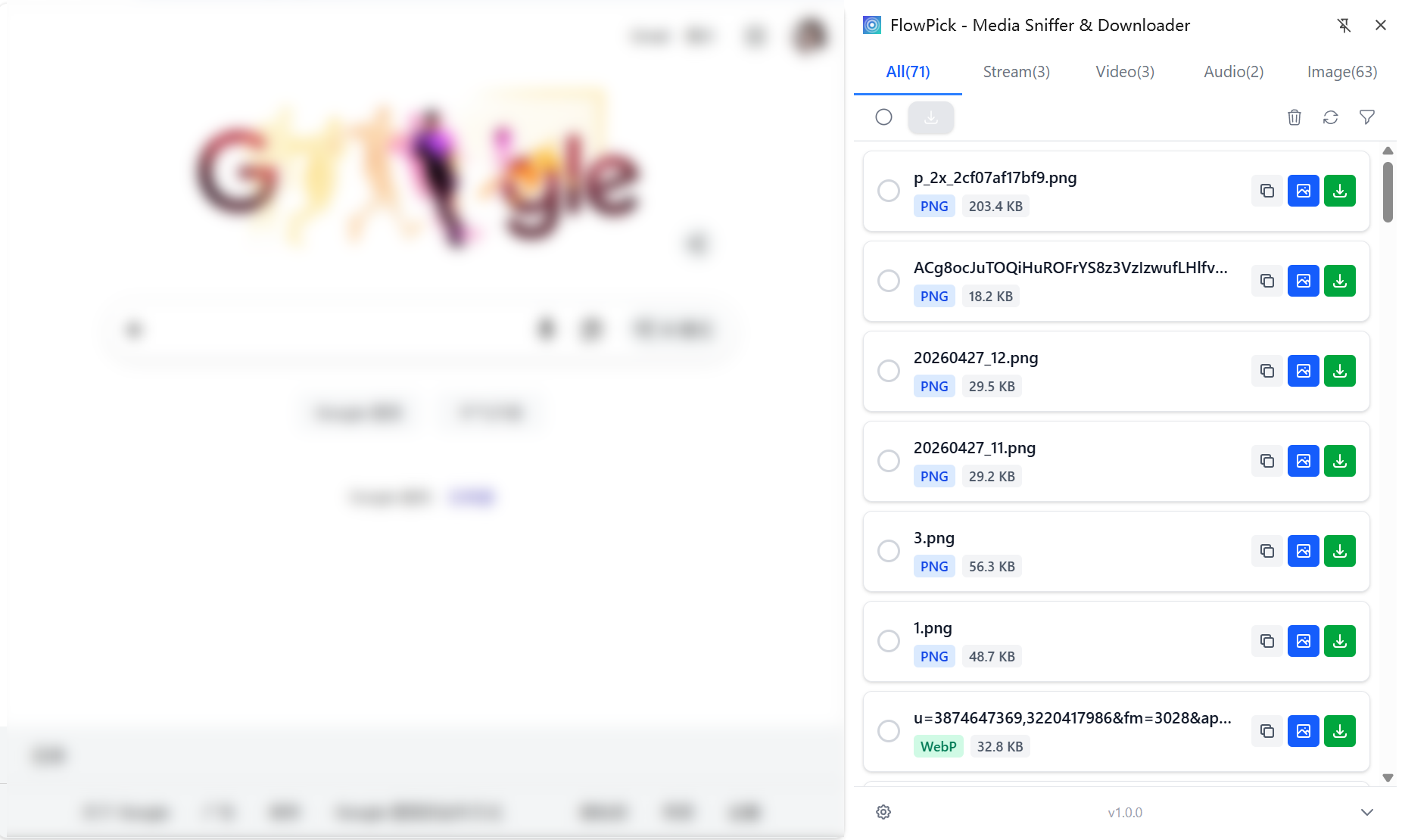
Detection Tips:
- Play video/audio for a few seconds first to ensure media requests have been sent
- If nothing is detected, refresh the page and play again
- Some websites use dynamic loading; drag the progress bar to trigger more fragment requests
- Encrypted HLS streams (with
EXT-X-KEYtags) can also be detected—FlowPick will auto-decrypt them
Previewing Media
Preview content before downloading to confirm it's the resource you want to save:
- Click the Play icon → Built-in player preview for video/audio
- Click the Eye icon → Preview images
- Preview supports real-time playback of HLS and DASH streams
Downloading a Single Resource
- Find the target file in the resource list
- Click the Download icon on the right
- For regular files (MP4, MP3, etc.), the browser downloads directly
- For streams (M3U8, MPD), FlowPick automatically downloads all fragments and merges them into a single file
Batch Download
- Check the checkboxes to the left of multiple resources
- Click the Download Selected button at the top
- All selected resources will be added to the download queue in sequence
- View progress for each task in the download management panel
Filtering Resources
When there are many resources on a page, use filters to quickly locate targets:
| Filter | Description | Example |
|---|---|---|
| By Type | Show only video, audio, or images | View only videos |
| By File Size | Set minimum/maximum file size range | Exclude thumbnails smaller than 100KB |
| By Duration | Filter by video/audio duration | View only videos longer than 1 minute |
| By Format | Filter by file extension | View only .mp4 files |
| By URL Search | Fuzzy match the address in the top search bar, or toggle .* for regex | \.m3u8$ to view only streams |
The popup has a persistent search bar at the top where you can fuzzy-search resource URLs, or switch to regex mode (patterns like \.m3u8$ or token=\w+). Search stacks on top of the category, size, and format filters above.
Quality Selection
For adaptive streams (HLS/DASH), FlowPick lists all available qualities:
| Quality | Resolution | Use Case |
|---|---|---|
| Low | 360p | Audio only, mobile networks |
| Standard | 480p | Small screen devices |
| HD | 720p | Laptop viewing |
| Full HD | 1080p | Large screen viewing |
| Original | Highest available | Best quality needed |
After selecting quality, FlowPick downloads only fragments of the corresponding resolution, saving time and storage space.
Online Tool Usage
Online tools require no extension installation, suitable for temporary use or scenarios where extensions cannot be installed.
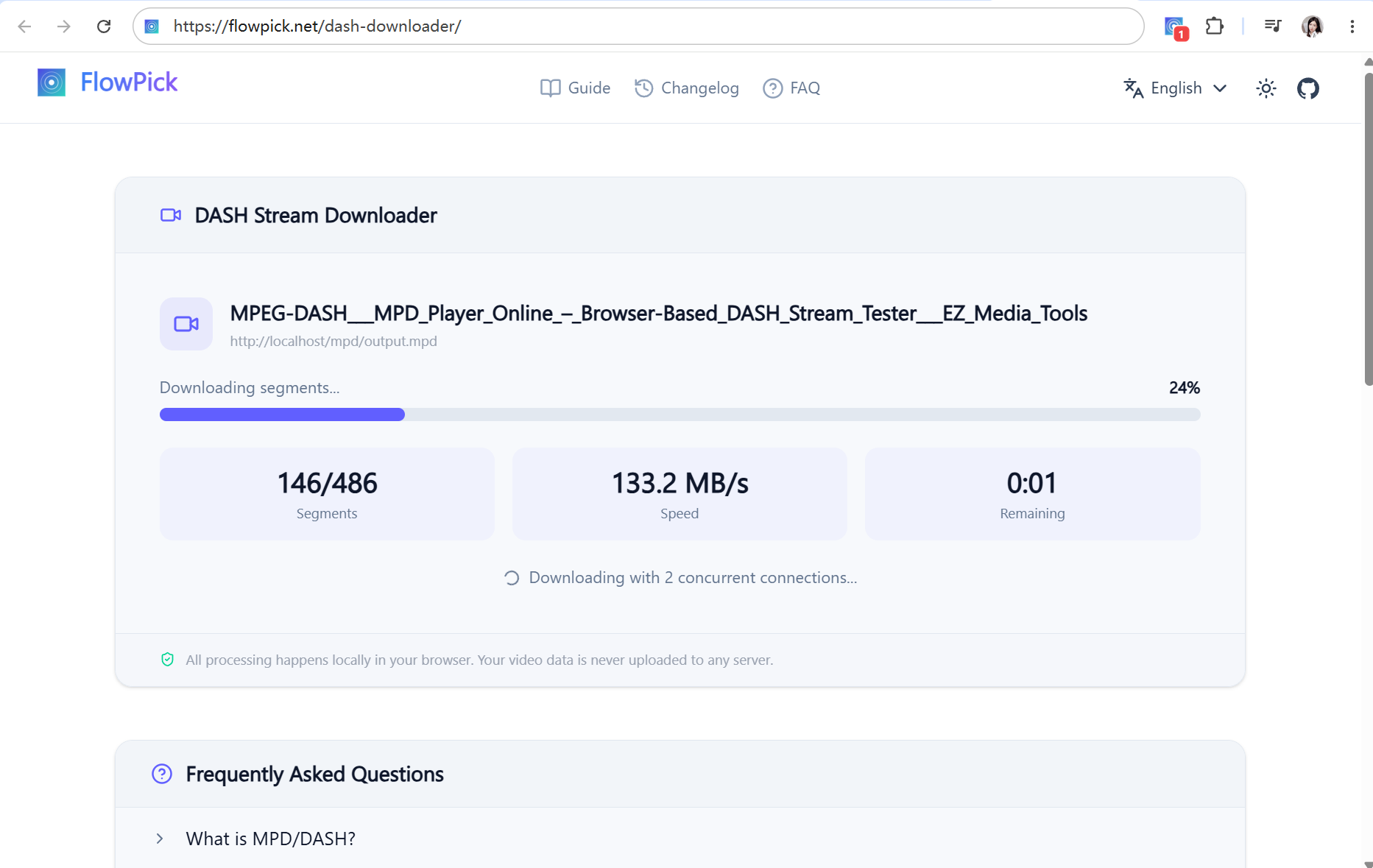
M3U8 Downloader
For HLS streams (.m3u8 URLs):
- Open M3U8 Downloader
- Paste the M3U8 URL in the input box
- Click the Parse button—the tool will analyze stream information
- Select quality and output format
- Click Start Download
How to Get M3U8 URL:
- Open browser Developer Tools (F12) → Network tab → Filter
m3u8 - After playing the video, find
.m3u8files in the request list - Right-click and copy the link address
DASH Downloader
For DASH streams (.mpd URLs):
- Open DASH Downloader
- Paste the MPD URL in the input box
- Click the Parse button
- Select video and audio tracks separately
- Click Start Download—the tool will auto-merge audio and video
Download Management
Download Queue
All download tasks are managed in a unified queue:
- Concurrency Control: Number of simultaneous download tasks is limited by the concurrent thread count in settings
- Queue Ordering: Tasks added earlier execute first
- Pause/Resume: Can pause individual tasks or all tasks
- Cancel: Cancelled tasks clean up downloaded temporary files
Progress Monitoring
Each download task displays real-time progress information:
| Information | Description |
|---|---|
| Progress Percentage | Downloaded fragments / Total fragments |
| Download Speed | Current real-time speed (KB/s or MB/s) |
| Downloaded Size | Completed file size |
| Remaining Time | Estimated remaining time based on current speed |
| Fragment Status | Download status of each fragment (waiting/downloading/completed/failed) |
Download Completion
After download completes:
- Browser shows a download completion notification (can be disabled in settings)
- File is saved in the browser's default download directory or your specified directory
- For streams, the merged file is saved in your chosen format (MP4/TS)
Format Conversion
FlowPick includes built-in format conversion based on FFmpeg WASM, completed in the browser without uploading files.
Supported Conversions
| Source Format | Target Format | Description |
|---|---|---|
| TS | MP4 | Remuxing, fastest speed, no re-encoding |
| M3U8 Fragments | MP4 | Auto-merge after download and remux |
| MPD Fragments | MP4 | Auto-merge after download and remux |
Settings
Click the gear icon in the popup to access settings. Common settings:
| Setting | Default | Description |
|---|---|---|
| Concurrent Threads | 2 | Number of fragments downloaded simultaneously |
| Output Format | MP4 | Output format after stream merging |
| Auto Detection | Off | Auto-detect media when page loads |
| Minimum File Size | 0 | Ignore files smaller than this size |
| Download Notification | On | Show notification when download completes |
Keyboard Shortcuts
| Shortcut | Action |
|---|---|
Alt+Shift+F | Open FlowPick popup |
Alt+Shift+D | Download all detected media |
You can customize shortcuts in the browser's extensions management page (chrome://extensions): Click the menu in the upper left → Keyboard Shortcuts → Find FlowPick and modify.
Usage Tips
Video Sites
- Wait 3-5 seconds for video to start playing before opening FlowPick
- If not detected, drag the progress bar to different positions to trigger more fragment requests
- Encrypted videos (such as some paid courses) require the extension's
webRequestpermission to obtain keys - Higher quality streams have more fragments and take longer to merge
Audio/Podcasts
- Play audio first to trigger network requests
- Podcasts usually have multiple audio formats available—prioritize AAC or MP3
- Downloaded audio files retain original metadata (ID3 tags)
Images
- Use size filtering to exclude icons and thumbnails (recommend minimum 50KB)
- Batch download works well for gallery sites
- Supports modern image formats like WebP, AVIF
Large File Downloads
FlowPick's browser extension fully supports large file downloads, automatically selecting the optimal approach through smart write strategies, easily handling GB-level streaming media files.
Core Capabilities:
- No File Size Limit: Streaming writes via File System Access API, theoretically supports files of any size
- Constant Memory Footprint: In streaming write mode, memory usage is unaffected by file size—won't cause browser crashes due to large files
- Smart Strategy Fallback: Automatically detects browser capabilities and switches between FSA → StreamSaver → Blob write strategies
Recommended Browsers:
| Browser | Minimum Version | Large File Support | Recommendation |
|---|---|---|---|
| Chrome | 86+ | FSA streaming write, no size limit | Highly Recommended |
| Edge | 86+ | FSA streaming write, no size limit | Highly Recommended |
| Firefox | 111+ | StreamSaver streaming write | Recommended |
| Safari | 15+ | Blob mode, memory limited | Usable |
Precautions During Download:
- Do not close the tab during download, otherwise it will be interrupted
- Keep screen on to avoid system sleep interrupting network connection
- For very large files (>5GB), use wired network for more stable download speed
- Ensure sufficient remaining disk space
Installation
Complete guide to installing the FlowPick browser extension, including store installation, manual loading, and online tool usage.
Configuration Reference
Complete configuration options for FlowPick, including download settings, filtering rules, save strategies, advanced parameters, and scenario-based configurations.