
Common Issues Troubleshooting
This document summarizes various issues you may encounter while using FlowPick, providing diagnostic steps and solutions organized by symptom.
Quick Issue Index
If you already know the issue type, jump directly to the corresponding section:
| Symptom | Jump To |
|---|---|
| Extension detects no media | Media Detection Issues |
| No response when clicking download | Download Won't Start |
| Slow download speed | Slow Download Speed |
| Error during download | Download Fails Midway |
| Downloaded file won't play | File Won't Play After Download |
| Browser freezes during large file download | Large File Download Failure |
| Video and audio out of sync after merging | Audio/Video Desync After Merge |
| Merge progress bar stuck | Merge Process Stuck |
| No "Select Save Directory" button | File System Access API Unavailable |
| Extension icon missing | Extension Icon Not Showing |
| Keyboard shortcuts not working | Keyboard Shortcut Conflicts |
Diagnostic Tools & Tips
Before diving into troubleshooting, mastering these diagnostic tools can significantly improve efficiency.
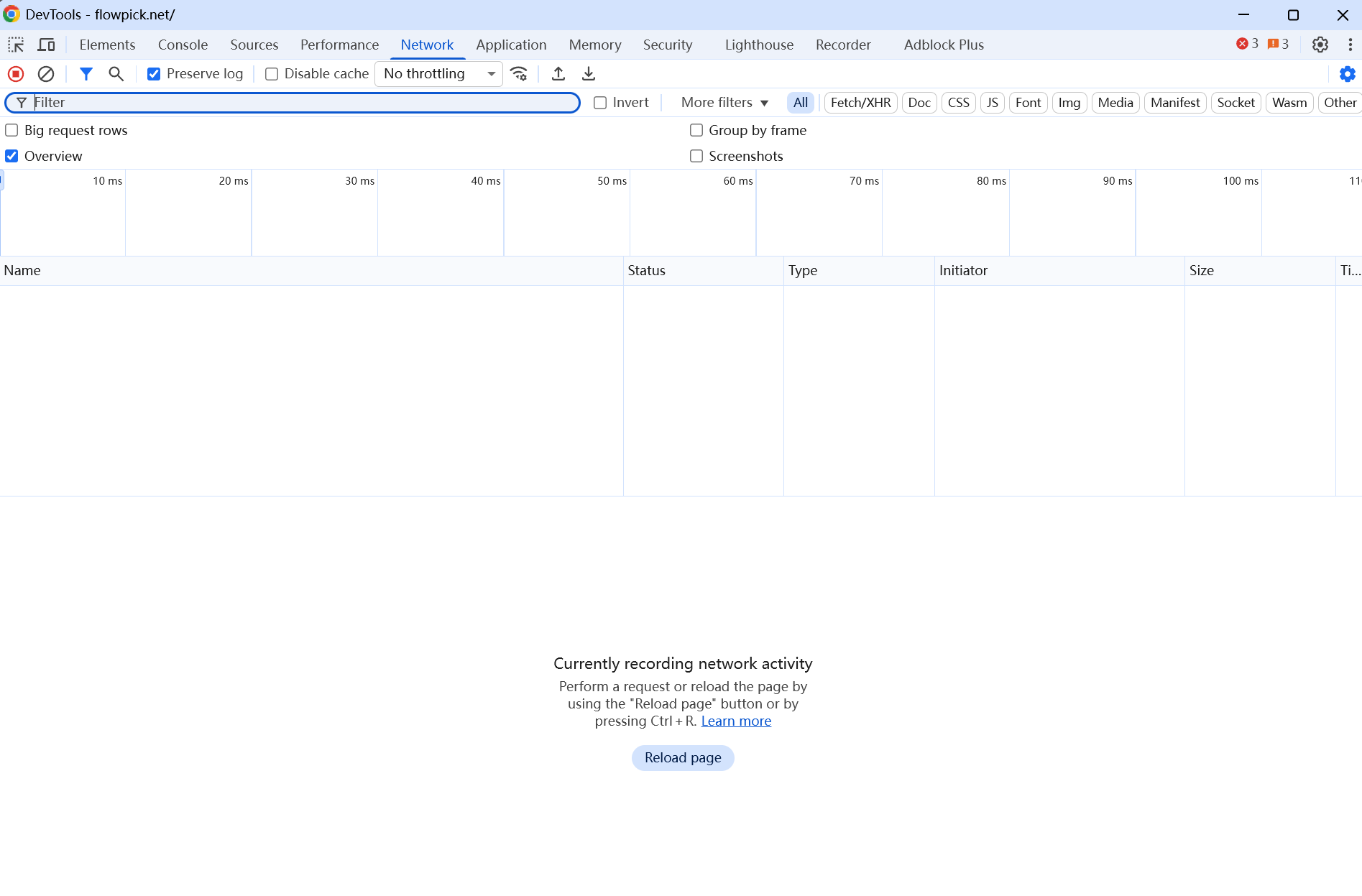
Browser Developer Tools
Press F12 or Ctrl+Shift+I to open Developer Tools, focusing on these panels:
| Panel | Purpose | Key Information |
|---|---|---|
| Console | View error logs | JavaScript errors, CORS warnings, network failures |
| Network | Monitor network requests | Segment request status codes, response times, request headers |
| Application | Check storage status | Configuration in localStorage, IndexedDB data |
Common Error Message Quick Reference
When seeing these errors in Console, quickly locate the issue:
| Error Message | Meaning | Reference Section |
|---|---|---|
Failed to fetch | Network request failed | Download Fails Midway |
has been blocked by CORS policy | Cross-origin request blocked | Download Fails Midway — CORS Error |
QuotaExceededError | Insufficient storage space | Large File Download Failure |
SharedArrayBuffer is not defined | Multithreading unavailable | SharedArrayBuffer Unavailable |
showDirectoryPicker is not a function | FSA API unavailable | File System Access API Unavailable |
AbortError | User cancelled operation | Normal behavior, no action needed |
Generate Diagnostic Report
For complex issues, run this code in Console to generate a diagnostic report for submitting issues:
// FlowPick Diagnostic Report Generator
const report = {
  userAgent: navigator.userAgent,
  platform: navigator.platform,
  language: navigator.language,
  fsaAvailable: 'showDirectoryPicker' in window,
  fsaSaveAvailable: 'showSaveFilePicker' in window,
  sharedArrayBuffer: typeof SharedArrayBuffer !== 'undefined',
  crossOriginIsolated: self.crossOriginIsolated,
  serviceWorker: 'serviceWorker' in navigator,
  storage: {
    quota: await navigator.storage?.estimate().catch(() => null),
  },
  timestamp: new Date().toISOString(),
}
console.log('FlowPick Diagnostic Report:', JSON.stringify(report, null, 2))
Media Detection Issues
Extension Cannot Detect Any Media
Symptom: After opening a page containing video/audio, clicking the FlowPick icon shows "No media resources detected" in the popup.
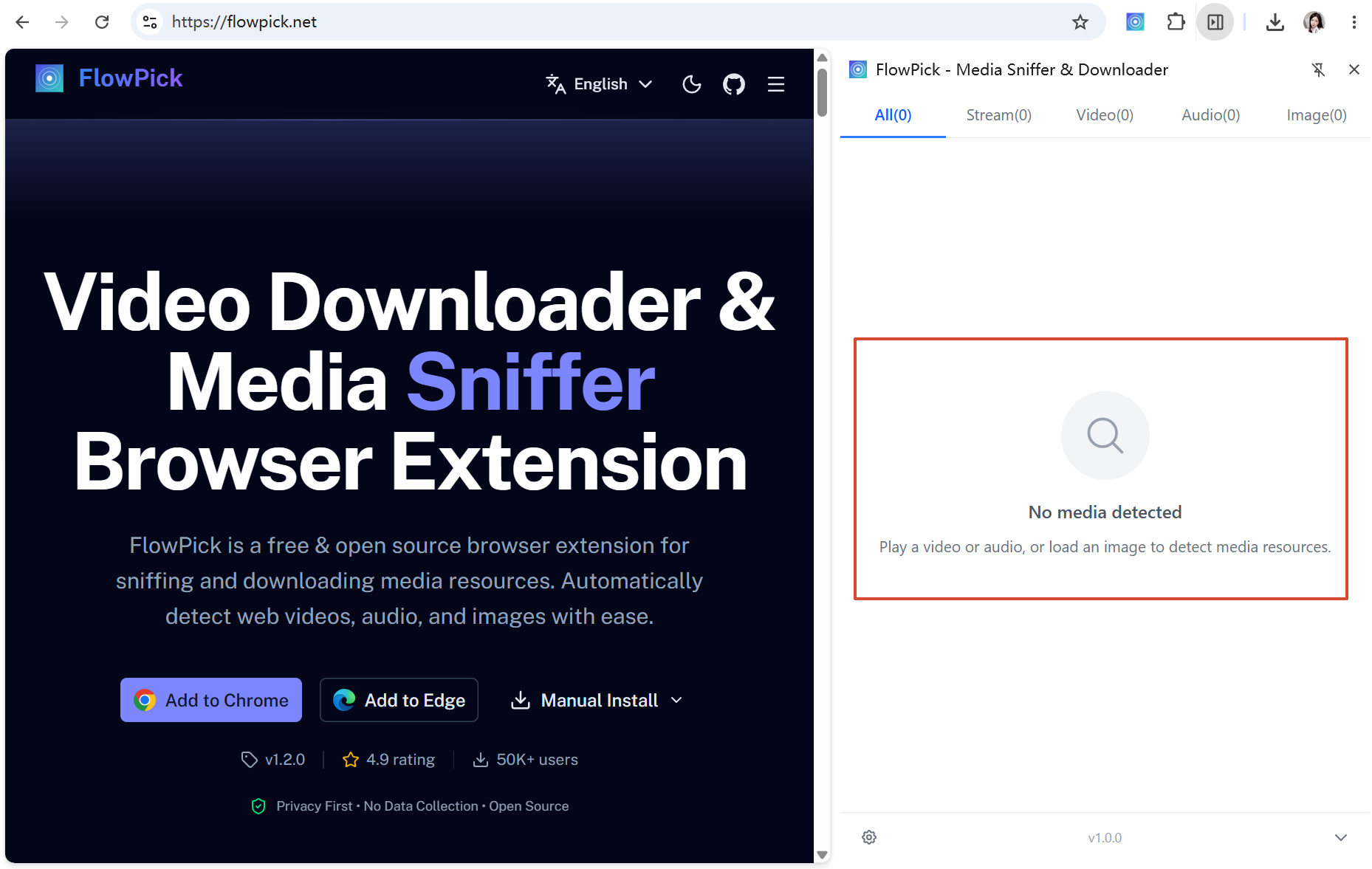
Diagnostic Steps:
- Confirm media has loaded on page
Before opening FlowPick, play video or audio for a few seconds first. Many websites use lazy loading strategies that only start loading media streams after user interaction. - Refresh page and retry
The extension's media detection relies on monitoring network requests. If the extension was installed or activated after the page loaded, it may have missed initial requests. Refreshing triggers new network requests. - Check if extension is activated
When clicking the extension icon, confirm the popup displays normally. If the popup cannot open, the extension may not be correctly installed or has been disabled. - Check if page uses non-standard protocols
Some websites transmit media via WebSocket, WebRTC, or custom encryption protocols, which are outside FlowPick's detection scope.
Common Causes & Solutions:
| Cause | Solution |
|---|---|
| Media hasn't started loading yet | Play video/audio for a few seconds before opening FlowPick |
| Page loaded before extension installation | Refresh page |
Media rendered via <canvas> or WebGL | Undetectable, this is a browser-level limitation |
| Media in cross-origin iframe | Try opening the iframe's source page directly |
| Website uses DRM-encrypted streams | Protected content cannot be detected or downloaded |
Some Media Not Detected
Symptom: FlowPick detects some resources but is missing certain expected videos or audio files.
Possible Causes:
- Dynamic loading timing: Some media only loads when users scroll or click. Try interacting with the page before opening FlowPick
- Filter settings: Check if minimum file size filter is set, causing small files to be excluded. For filter configuration, see Configuration Reference — Filter Settings
- Non-standard MIME type: Server returns Content-Type not in FlowPick's recognition list. FlowPick currently recognizes 25+ MIME types, but some CDNs may use non-standard types
Incomplete Image Detection
Symptom: Not all images on the page appear in detection results.
Cause Analysis:
- Images in CSS
background-imagerequire full page rendering before detection - Lazy-loaded images (
loading="lazy") only load when scrolled into viewport <img>elements dynamically created via JavaScript may be inserted into DOM after extension scanning- Canvas-rendered image content cannot be obtained through DOM detection
Recommendation: Scroll through the entire page before opening FlowPick to ensure all lazy-loaded content has been triggered.
Download Issues
Download Won't Start
Symptom: No response after clicking download button, or error appears immediately.
Diagnostic Steps:
- Check browser download settings
Confirm browser isn't blocking automatic downloads. In Chrome:Settings → Privacy and security → Site settings → Automatic downloads. - Check disk space
Ensure sufficient free space on system disk. Video files can be large (several GB); confirm adequate space before downloading. - Check for conflicts with other download extensions
Some download manager extensions may intercept or modify download requests. Try temporarily disabling other download-related extensions. - Check browser console for errors
PressF12to open Developer Tools, check Console panel for errors. Common errors include:Failed to fetch: Network request failedCORS error: Cross-origin request blockedQuotaExceededError: Insufficient storage space
Slow Download Speed
Symptom: Download progress is slow, speed far below network bandwidth.
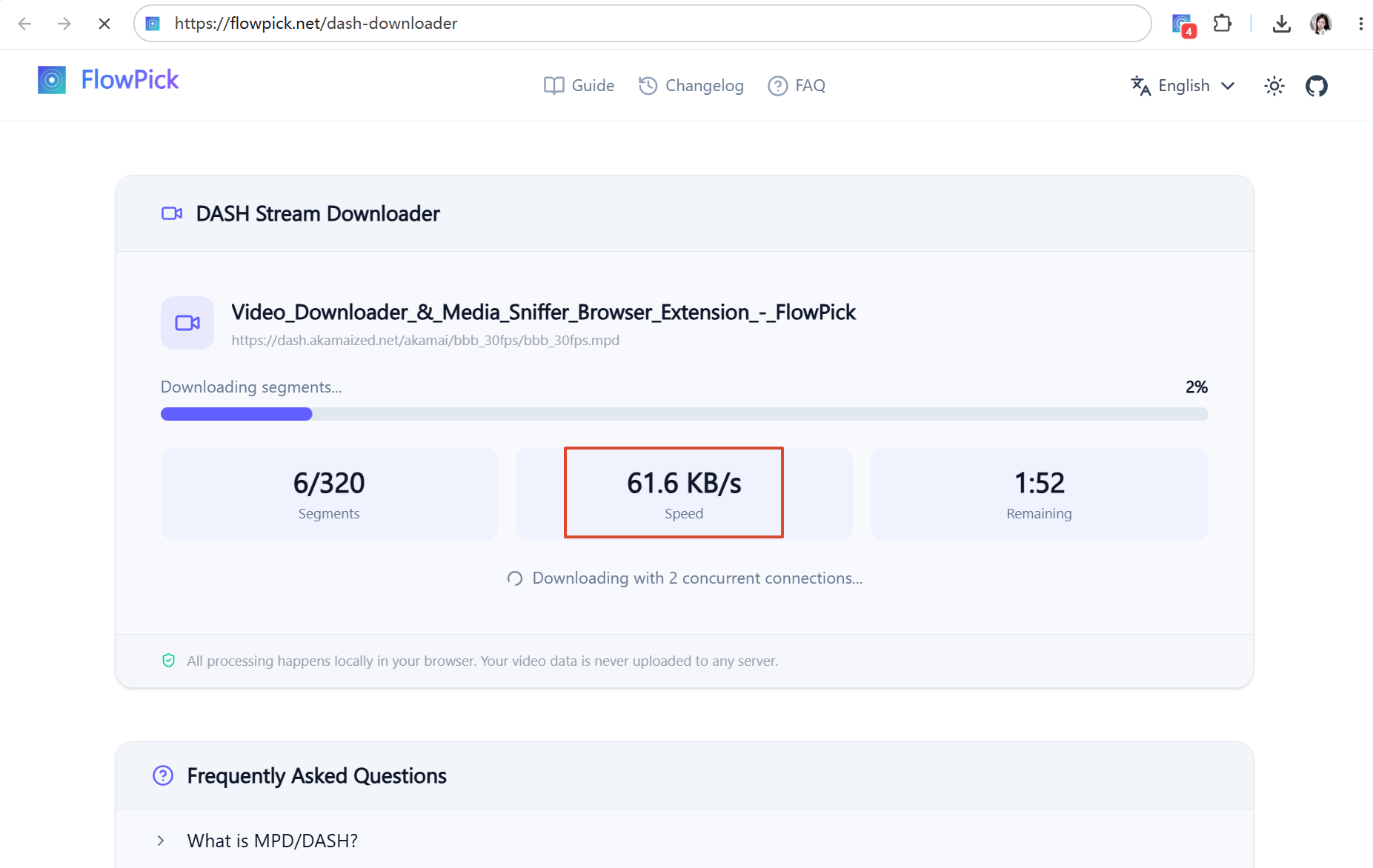
Influencing Factors & Optimization Suggestions:
| Factor | Description | Optimization Suggestion |
|---|---|---|
| Concurrent thread count | Default 2 threads may not fully utilize bandwidth | Increase to 4-6 threads |
| CDN throttling | Some streaming CDNs limit per-connection speed | Increasing concurrency improves total speed |
| Segment size | Small segments cause high request overhead | Not adjustable, determined by streaming server |
| Network latency | High RTT per request significantly impacts high-latency connections | Increase concurrency to hide latency |
| Encryption/decryption | AES-128 decryption consumes CPU time | Unavoidable, modern CPUs usually fast enough |
Diagnostic Flow:
Slow download speed
    │
    ├── Concurrency < 4?
    │   └── Yes → Increase concurrency to 4-6, observe speed change
    │
    ├── Large speed fluctuations?
    │   └── Yes → May be CDN throttling, try reducing concurrency to 2-3
    │
    ├── All downloads slow?
    │   └── Yes → Check network bandwidth, close other bandwidth-consuming apps
    │
    └── Only specific sites slow?
        └── Yes → That site's CDN may throttle, try different quality
Download Fails Midway
Symptom: Download stops with error after reaching certain percentage.
Common Errors & Handling:
HTTP 403 Forbidden
Segment URLs may contain time-sensitive tokens; server rejects access after expiration. Solutions:
- Refresh page to get new stream address
- Complete download promptly to avoid token expiration
- For HLS streams, token is usually in M3U8 manifest; re-fetching manifest suffices
HTTP 404 Not Found
Segment deleted from server (common with live replays). Solutions:
- Confirm stream is still available
- Try selecting different quality (different qualities may use different segment files)
Network connection interruption
Automatic retry mechanism handles temporary network fluctuations. If persistently failing:
- Check network connection stability
- Reduce concurrent thread count to reduce simultaneous connections
- Check firewall or proxy settings
CORS Error
Online tool version restricted by browser same-origin policy. Solutions:
- Use browser extension version (extensions have broader network permissions)
- If using online tools, confirm stream URL's server allows cross-origin requests
File Won't Play After Download
Symptom: Download complete, but video/audio file cannot be opened in player.
Diagnosis & Repair:
- Try different players
Some players have limited support for specific codecs or containers. Recommended players for testing:- VLC Media Player (best compatibility)
- MPC-HC
- PotPlayer
- Check file size
If file size significantly smaller than expected (e.g., only few KB), may have downloaded M3U8 manifest instead of actual video. Confirm correct resource selected. - Try different quality
Segments of certain qualities may have encoding issues. Try downloading lower or higher quality version. - Use VLC repair feature
VLC provides built-in AVI/MP4 repair:- Open VLC → Media → Convert/Save
- Add file → Convert/Save
- Select output format → Start
- Check if merge complete
If browser crashed or network interrupted during download, merge may be incomplete. Re-downloading usually resolves this.
Large File Download Failure
Symptom: Browser freezes or crashes when downloading large files (>1GB).
Cause: In Blob mode, entire file must be loaded into memory before triggering download. For very large files, this may cause memory exhaustion.
Solutions:
- Use File System Access API save directory feature; files written directly to disk without consuming memory
- If browser doesn't support FSA API, FlowPick automatically uses StreamSaver.js streaming write
- If both streaming writes unavailable, Blob mode has 1.5GB hard limit; files exceeding this size will be rejected
Merge Issues
Audio/Video Desync After Merge
Symptom: Time offset exists between video and audio tracks.
Cause: This typically occurs with DASH streams where video and audio segment timestamps are not perfectly aligned. FlowPick uses -c copy mode for merging without re-encoding, so cannot fix timestamp offset.
Solutions:
- Try selecting different quality (A/V sync may differ across qualities)
- Use FFmpeg command-line tool for manual re-encoding:
ffmpeg -i output.mp4 -c:v libx264 -c:a aac -async 1 fixed.mp4
Merge Process Stuck
Check whether the task is downloading, parsing, merging, or writing. Segment count, timeline normalization, browser resources, storage quota, and codec support can affect progress.
- Keep the tab open and inspect source or storage errors.
- Try a smaller authorized sample and close other large tasks.
- If the source and tool offer TS output, test whether only MP4 remuxing fails; TS is not an arbitrary-format fallback.
- Report the tool, browser, source codecs, and failing stage after removing private data from logs.
See Format conversion and Download engine.
Browser Compatibility Issues
SharedArrayBuffer Unavailable
If a specific tool reports SharedArrayBuffer is not defined, check HTTPS, crossOriginIsolated, its worker, and deployment headers. Capabilities that require isolation commonly need:
Cross-Origin-Opener-Policy: same-origin
Cross-Origin-Embedder-Policy: require-corp
Requirements vary by tool, and cross-origin resources must also cooperate. The current merge pipeline does not use FFmpeg WASM or automatically fall back to an FFmpeg single-thread mode. See Browser compatibility.
File System Access API Unavailable
Symptom: No "Select Save Directory" button, or no response when clicked.
Support Status:
| Browser | Minimum Version |
|---|---|
| Chrome | 86 |
| Edge | 86 |
| Opera | 72 |
| Firefox | Not Supported |
| Safari | Not Supported |
On unsupported browsers, FlowPick automatically uses browser default download method.
StreamSaver.js Not Working
Symptom: Console shows StreamSaver-related errors.
Possible Causes:
- Service Worker registration failed (some browser policies prohibit)
mitm.htmlpage cannot load- Browser doesn't support
WritableStream
FlowPick automatically degrades to Blob mode; functionality unaffected.
Extension-Specific Issues
Extension Icon Not Showing
- Click puzzle icon in browser toolbar (extension management)
- Find FlowPick
- Click pin icon to pin it to toolbar
Extension Automatically Disabled
Chrome may disable extensions under these circumstances:
- Extension update requires new permissions
- Browser detects suspicious behavior
- Developer mode extensions disabled after browser restart
Solution: Re-enable FlowPick on chrome://extensions page.
Keyboard Shortcut Conflicts
Default shortcuts Alt+Shift+F and Alt+Shift+D may conflict with other extensions or system shortcuts.
How to modify:
- Open
chrome://extensions/shortcuts - Find FlowPick
- Set new shortcut combination
Network Troubleshooting
Proxy/VPN Environment
If using proxy or VPN, downloads may be affected:
| Issue | Cause | Solution |
|---|---|---|
| Extremely slow download speed | Limited proxy bandwidth | Temporarily disable proxy, or use split routing rules |
| Connection timeout | Proxy doesn't support streaming CDN | Add CDN domain to proxy whitelist |
| Certificate errors | Proxy performing HTTPS MITM decryption | Check proxy certificate configuration |
Corporate Network Environment
Corporate networks typically have stricter security policies, potentially causing these issues:
- Firewall blocking non-standard ports: Some streaming uses non-80/443 ports, may be blocked by corporate firewall
- Service Worker disabled: Some enterprise management policies prohibit Service Workers, causing StreamSaver.js unavailability
- Extension installation restricted: Enterprise-managed browsers may prohibit installing non-whitelisted extensions
Recommendation: In corporate network environments, prioritize online tool version (if accessible), or contact IT department about network policies.
Getting Help
If above solutions don't resolve your issue:
- Check GitHub Issues for similar problems
- Submit new issue with following information:
- Browser and version
- FlowPick version
- Issue description and reproduction steps
- Browser console error log (F12 → Console)
- Problem page URL (if publicly accessible)
- Output from diagnostic report
Bulk Image Downloader for Web Galleries and Wallpapers
Download images from web galleries in bulk with format, size, and resource filtering in the FlowPick browser extension.
Known Limitations & Caveats
Practical source-access, DRM, codec, browser, recording, memory, storage, and file-saving limitations of current FlowPick tools.